What is iOS Keychain?
iCloud Keychain remembers things, so that you don't have to. It autofills your information — like your Safari and app usernames, passwords and passkeys, credit card information and security codes, and Wi-Fi passwords on any device that you approve.
How to turn on iOS Keychain on iPad or iPhone
Before you turn on iCloud Keychain, update your device to the latest iOS or iPadOS, or the latest version of macOS, and make sure that two-factor authentication is turned on for your Apple ID.
-
Tap Settings, tap your name, then choose iCloud.
-
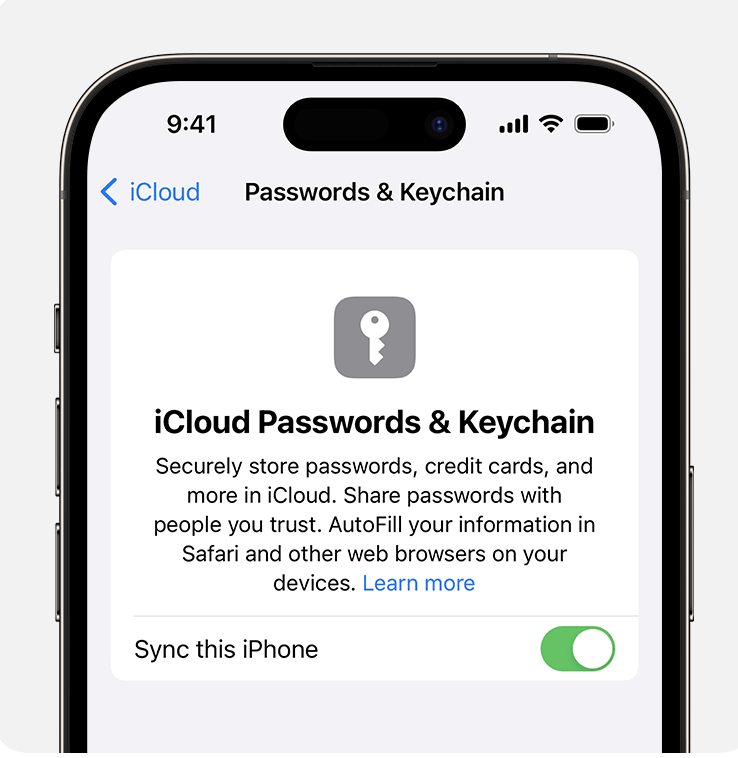
Tap Passwords and Keychain.
-
Turn on iCloud Keychain. You might be asked for your passcode or Apple ID password.
How to turn on iOS Keychain on Mac
Before you turn on iCloud Keychain, update your device to the latest iOS or iPadOS, or the latest version of macOS, and make sure that two-factor authentication is turned on for your Apple ID.
-
Choose Apple menu > System Settings (or System Preferences).
-
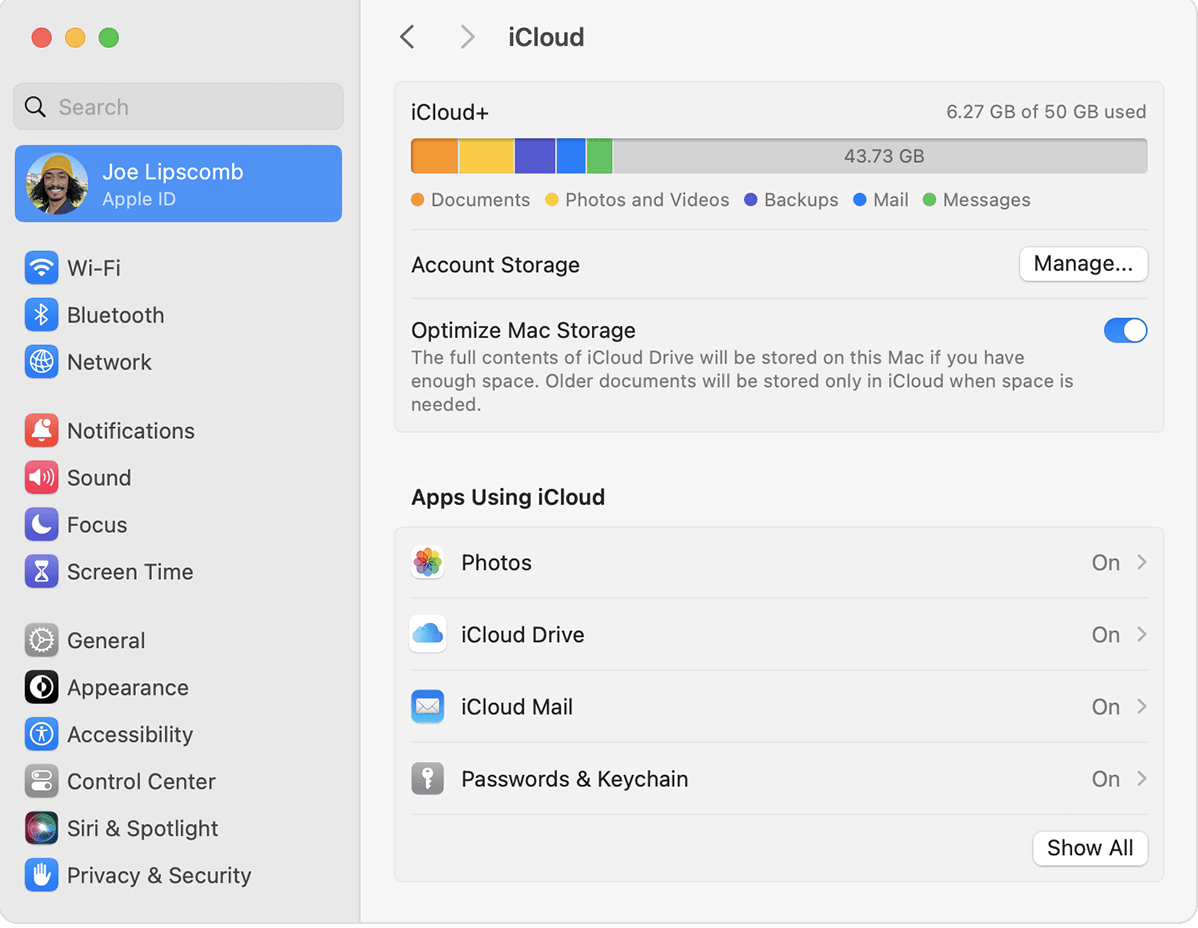
Click your name, then click iCloud. In earlier versions of macOS, click Apple ID, then click iCloud in the sidebar.
-
Turn on Passwords & Keychain.
-
If you choose to "Approve Later" when signing in to your Apple ID, you need to approve with an old passcode or from another device when prompted. If you're unable to approve, reset your end-to-end encrypted data when prompted.