lock

Lockwise


Software Updating


A 101 Guide

Why is it important to Update Software?

For many PC users, the last thing you want to do is deal with updates to your software and hardware. In reality, it’s something that many of us put off as long as possible. After all, we handle a lot of work in a day, so why let a routine task interfere with important plans? Software updates provide new and improved functionality while addressing existing issues, such as bugs and crashes. And with antivirus updates, the developers often continue to improve their products to keep you safe from new viruses and malware.
Peyto Lake

Update Software on Mac

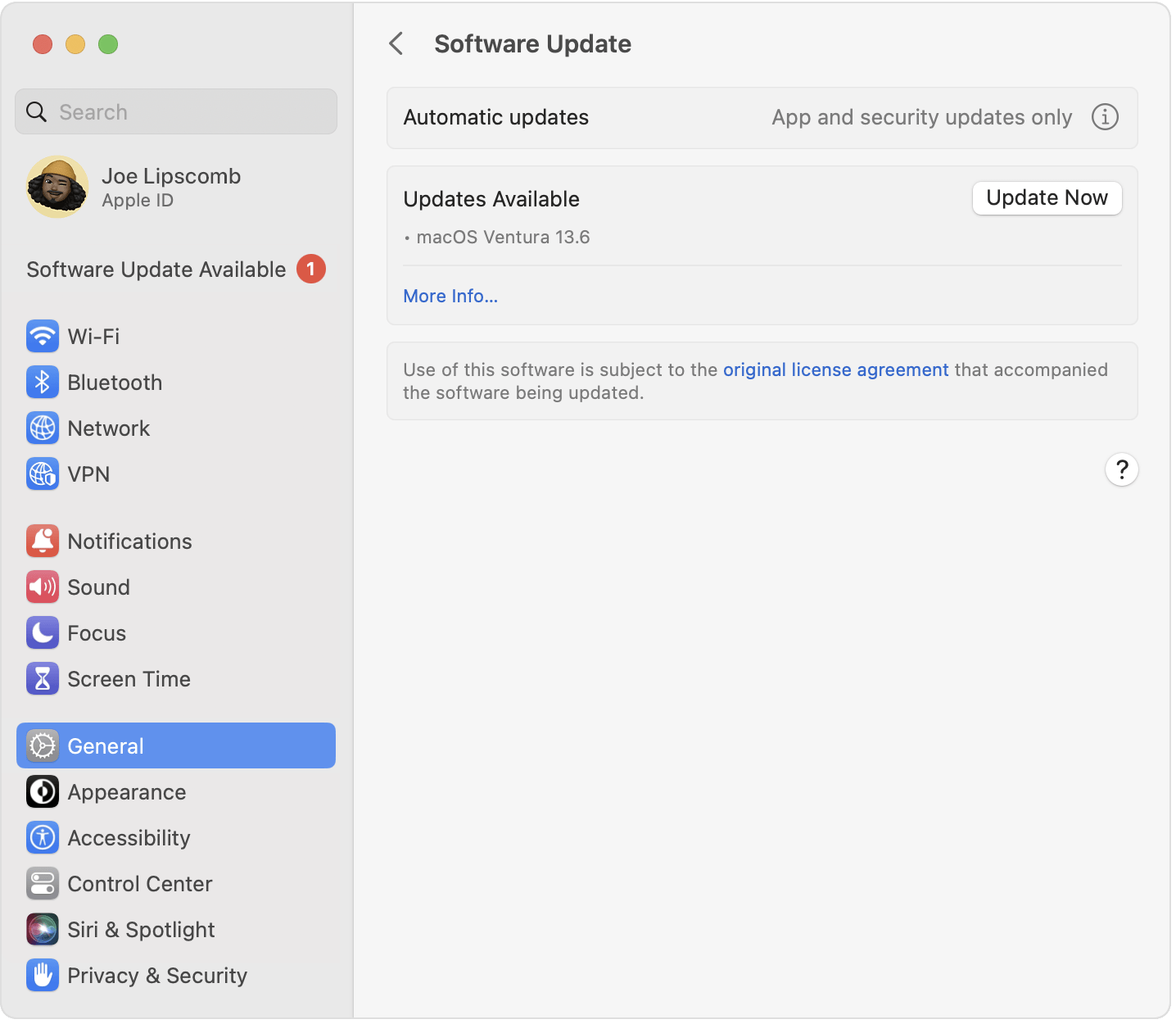
  1. To check for new software, open Software Update: From the Apple menu  in the corner of your screen, choose System Settings. Click General in the sidebar, then click Software Update on the right. Or in earlier versions of macOS, choose Apple menu  > System Preferences, then click Software Update.
  2. If Software Update finds new software, click the Update or Upgrade button to download and install it. You will be asked to enter your administrator password, which is the password you use to log in to your Mac. During installation, your Mac might show a progress bar or blank screen several times.
  3. If Software Update says that your Mac is up to date, then no new software is currently available for your Mac model. Software Update shows only software that is compatible with your Mac.
Peyto Lake

Update Software on Windows (Windows 10 + 11)

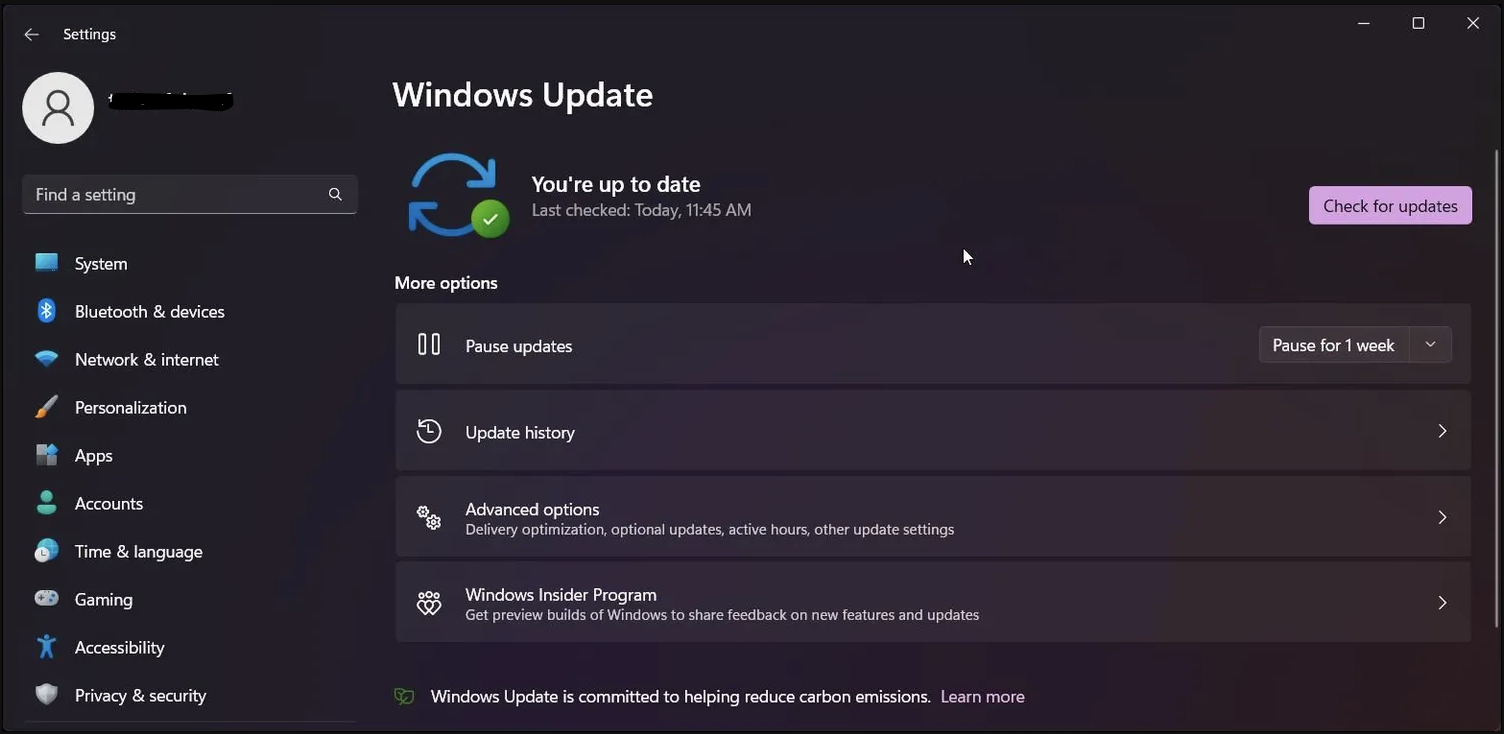
On Windows 10, you'll find everything related to OS updates at Settings > Update & Security > Windows Update. You can click Check for updates anytime, though Windows checks regularly for you. On Windows 11, this menu is under Settings > Windows Update.

Peyto Lake